


 Russian


Описание продуктов
USB Interface Card Issuing Devices realize the function of transiting the data from reader to PC via USB Port. The user has no need to download any driver program. You just plug it to USB Port for normal working. It cans instead previous PS/2 Interface Issuing Device. If your Computer Keyboard port has no sufficient power, or not convenient for keyboard output, or with broken keyboard, especially Notebook PC has no PS2 Keyboard out, Erfid09B provide ideal solution for above case. Also this type is with the advantage of no Driver, no additional power.
Features:
1. Connect to computer through USB interface directly
2. Open Notepad or a excel, word document
3. The mouse in Notepad or WORD document clicking
4. Put card on the top of reader.
5. Notepad or word documents will output of the ID card number
6. When Reading one card, LED lights with red into the green.


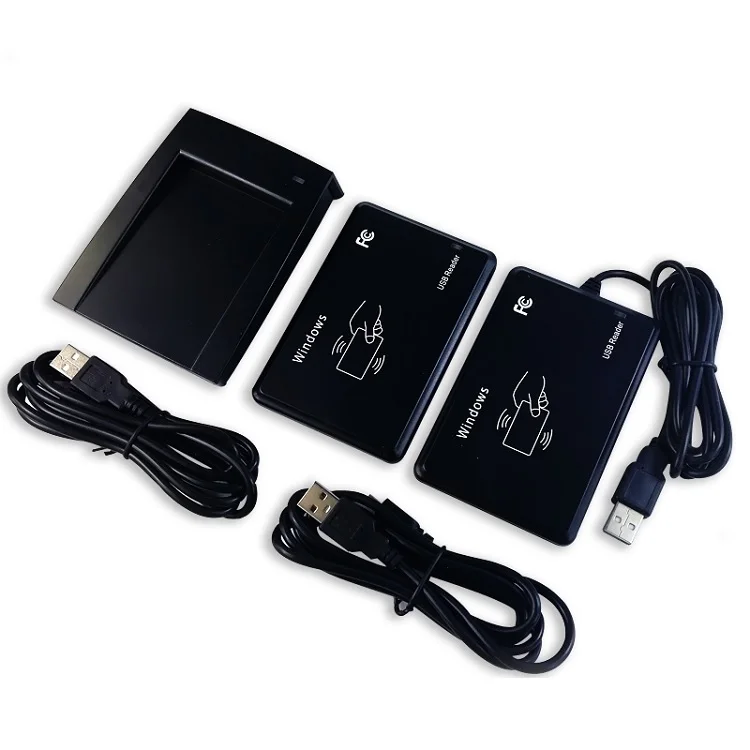

Specification
Support EM/ID (125 kHz Frequency) or M1 Card
Standard PC USB Communication Interface
Champagne or Black Color
DC 5V working Voltage or Power on USB
-10 to 70 C Ambient Temperature
Less 100mA Working Current
5- 10cm Proximity Reading Range
USB Output Format
About Use
Connect USB data wire between Device and PC, after 30 seconds system testing period, then punch the card, and execute the following steps in PC: Start----Program----Accessories----Notepad. Card Number will be showed on Screen automatically Lines (No need press "Enter" for it)
Free software for choose card output format by yourself
There are 6h,8h,10h,5h10d,6h10d,8h10d,10h10d,
2h10d+4h10d,4h10d+4h10d,last 8 digits number of 6h10d, last 8 digits
number of 8h10d, M8h in the reverse order,M8h10d in the reverse
| Model | RFID Card Reader |
| Color | Black / White |
| Voltage | 5V |
| Current | ≤100mA |
| Ambient Temperature | -25°C~75°C |
| Reading Range | 3~15CM |
| Output Format | USB or RS232 |
Card Type | EM-ID/Mifare-IC |